
Digital Safety Plans: Apps and Tools for Your Phone

Welcome to Mind Care Guide, a safe space to explore your mental well-being.
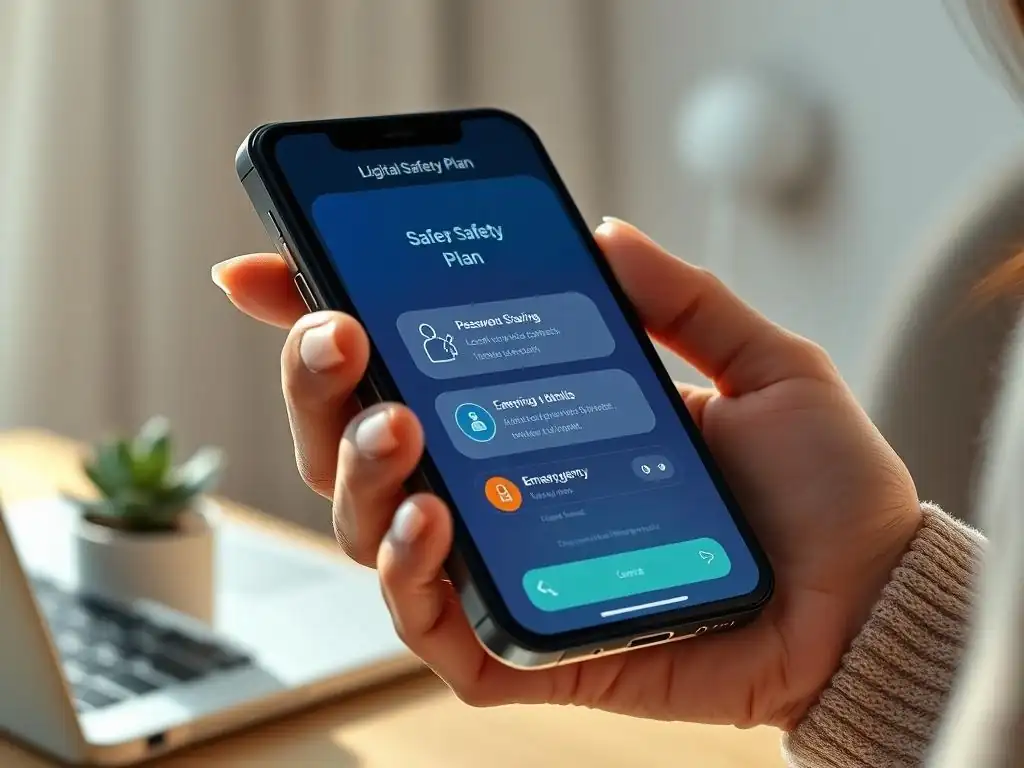
Feeling overwhelmed by the digital world? You're not alone. Many struggle to navigate the complexities of online safety and its impact on mental health. Are you ready to reclaim control and create a healthier relationship with your phone? Dive into our comprehensive guide on crafting a Smartphone Digital Safety Plan, complete with apps and tools designed to support you in crisis and promote a safer online experience. Let's start building your digital safety net today.
Smartphone Digital Safety Plan: Apps and Tools for Mental Well-being
- Understanding Smartphone Digital Safety Plans
- Creating Your Personalized Smartphone Digital Safety Plan
- Top Apps and Tools for Mental Well-being
- Utilizing Smartphone Features for Digital Safety
- Implementing and Maintaining Your Smartphone Digital Safety Plan
- Overcoming Challenges in Using a Smartphone Digital Safety Plan
- Resources for Building and Maintaining Your Digital Safety Plan
- Promoting Digital Well-being
-
Frequently Asked Questions
- What is a Smartphone Digital Safety Plan, and why is it important for mental well-being?
- What types of apps and tools can be included in a Smartphone Digital Safety Plan?
- How can I create a personalized Smartphone Digital Safety Plan that addresses my specific needs?
- How often should I review and update my Smartphone Digital Safety Plan?
- Where can I find more resources and support for creating and implementing a Smartphone Digital Safety Plan?
- Final Reflection: Building a Fortress of Digital Security
- Unlock Your Digital Fortress: Take Control of Your Online Safety Now!
Understanding Smartphone Digital Safety Plans
What is a Digital Safety Plan?
A digital safety plan, particularly a smartphone digital safety plan, is a personalized strategy designed to help individuals manage moments of distress, crisis, or overwhelm using the tools and resources available on their mobile device. It's a proactive measure, similar to a traditional mental health safety plan, but specifically tailored to the digital environment that many people inhabit daily. This plan outlines steps to take, resources to access, and contacts to reach when feeling vulnerable, all readily available on one's smartphone. It acts as a lifeline, providing immediate access to support and coping mechanisms in challenging times.
Developing a comprehensive smartphone digital safety plan involves identifying triggers, listing coping strategies, noting emergency contacts, and pinpointing accessible professional resources. For instance, a plan might include specific apps for calming exercises, pre-written messages to supportive friends, or direct access to crisis hotline numbers.
The goal is to minimize the time and effort required to access help during distress, leveraging the ubiquity and convenience of the smartphone. Unlike a physical plan that might not always be at hand, a digital version resides on a device that is often carried everywhere, making it a highly accessible tool for managing mental well-being.
Why Use a Digital Safety Plan on Your Smartphone?
Using a smartphone digital safety plan offers unparalleled accessibility and immediacy during moments of heightened stress or crisis. In today's world, smartphones are nearly constant companions, making them the most readily available tool when help is needed quickly. A digital plan bypasses the need to search for physical documents or remember phone numbers during a crisis, providing critical information and resources with just a few taps. This ease of access can be a significant factor in de-escalating distress and connecting with support swiftly.
Furthermore, smartphones offer a range of features that can be integrated into a safety plan, from dedicated mental health apps to built-in accessibility features and emergency protocols. For example, a plan might utilize a phone's SOS feature to quickly alert emergency contacts or store important crisis line numbers for one-touch dialing. The ability to house coping strategies, support contacts, and professional resources in one discreet, portable location makes a smartphone digital safety plan a powerful and practical tool for managing mental health challenges, particularly for individuals navigating difficult emotions or suicidal thoughts.
Integrating Digital Safety Plans with Mental Health Support
A smartphone digital safety plan is not a replacement for professional mental health support but rather a powerful complement to it. Therapists, counselors, and psychiatrists can play a crucial role in helping individuals develop and refine their digital safety plans, ensuring they are tailored to specific needs and challenges. During therapy sessions, individuals can work with their provider to identify personal triggers that might manifest online or through phone use, and develop digital coping strategies, such as specific grounding apps or digital detox techniques, that align with their overall treatment plan.
Integrating a smartphone digital safety plan with professional care also means discussing the plan with one's mental health provider. This allows the provider to understand the digital resources the individual relies on and offer guidance on how to best utilize them. It also provides an opportunity to troubleshoot potential issues, like over-reliance on digital tools or difficulties accessing online resources.
For example, a therapist might help an individual identify digital triggers like certain social media content and incorporate strategies into the plan to limit exposure, reinforcing healthy digital habits alongside therapeutic goals. This collaborative approach ensures the digital safety plan is a robust and effective component of a holistic mental well-being strategy.
Creating Your Personalized Smartphone Digital Safety Plan
Identifying Your Triggers and Warning Signs on Your Phone
Recognizing triggers and warning signs that manifest or are exacerbated by smartphone use is a critical first step in building a personalized smartphone digital safety plan. Triggers can be specific types of content encountered online (e.g., news articles, social media posts), interactions (e.g., receiving certain messages), or even specific times of day when phone use is common. Warning signs might include increased time spent on isolating apps, engaging in negative online behaviors, or feeling heightened anxiety or sadness after using the phone. Taking time to honestly assess how your phone use impacts your mood and thoughts is essential.
Documenting these digital triggers and warning signs helps you anticipate challenging moments and implement your safety plan proactively. Consider keeping a brief log for a week or two, noting what you were doing on your phone and how you felt afterward.
For instance, you might notice that checking a specific social media feed consistently leads to feelings of inadequacy, or that receiving work emails late at night triggers anxiety. Identifying these patterns allows you to build specific strategies into your smartphone digital safety plan, such as setting time limits for certain apps or configuring notification settings to reduce exposure to triggers during vulnerable periods.
Listing Coping Strategies Accessible on Your Smartphone
Once triggers and warning signs are identified, the next step is to list coping strategies that are easily accessible and implementable using your smartphone. These strategies should be personalized and genuinely helpful during distress. Think about activities or resources that have helped you in the past and how they can be accessed or adapted for your phone. Examples include listening to calming music playlists, using guided meditation or breathing exercise apps, accessing positive affirmations stored in a notes app, or watching comforting short videos saved to your device.
Detailing these strategies within your smartphone digital safety plan ensures you have a ready list of actions to take when feeling overwhelmed. For instance, if listening to calming sounds helps, create a specific playlist titled "Safety Plan Calm" that is easily found. If journaling helps, identify a specific journaling app or a dedicated note within your phone's default notes app. The key is to make these strategies low-barrier and immediately available, reducing the cognitive load during a crisis. Having these tools literally at your fingertips empowers you to engage in self-soothing and distress tolerance techniques quickly.
Contacting Support Networks: Emergency Contacts and Hotlines
A vital component of any safety plan, including a smartphone digital safety plan, is having immediate access to support networks and crisis resources. This involves clearly listing emergency contacts – trusted friends, family members, or mentors – who you can reach out to when you are struggling. It also means having readily available contact information for mental health professionals, crisis hotlines, and emergency services. Storing these contacts in a dedicated, easily accessible location on your phone is crucial.
Within your smartphone digital safety plan, create a specific section or a dedicated contact group for these individuals and services. Consider using your phone's "Favorites" contacts list or setting up an emergency information feature (often accessible from the lock screen) to include key contacts and relevant hotlines.
For example, you might save the National Suicide Prevention Lifeline (988 in the US) or the Crisis Text Line (text HOME to 741741) directly into your emergency contacts, along with the phone numbers of one or two designated support persons. The goal is to minimize the steps needed to connect with help during a crisis, ensuring that support is just a tap away.
Making Your Plan Accessible and Easily Retrievable
The effectiveness of a smartphone digital safety plan hinges on its accessibility during critical moments. It must be stored in a location on your phone that is easy to find and access quickly, even when experiencing distress. Relying on memory to navigate through complex folders or apps during a crisis is not realistic. The plan should be prominent and require minimal effort to open.
Consider various options for storing your smartphone digital safety plan to ensure easy retrieval. You could save it as a note pinned to the top of your notes app, store it as a document in a cloud storage folder labeled "Safety Plan," or even use a dedicated safety plan app if available.
Some individuals create a simple, clear checklist saved as their phone's lock screen wallpaper (without sensitive contact info visible to others). The key is to choose a method that works best for you and ensures the plan is literally at your fingertips when you unlock your phone, providing immediate guidance and access to resources during challenging times.
Top Apps and Tools for Mental Well-being
Mental Health Apps for Immediate Support and Calming Techniques
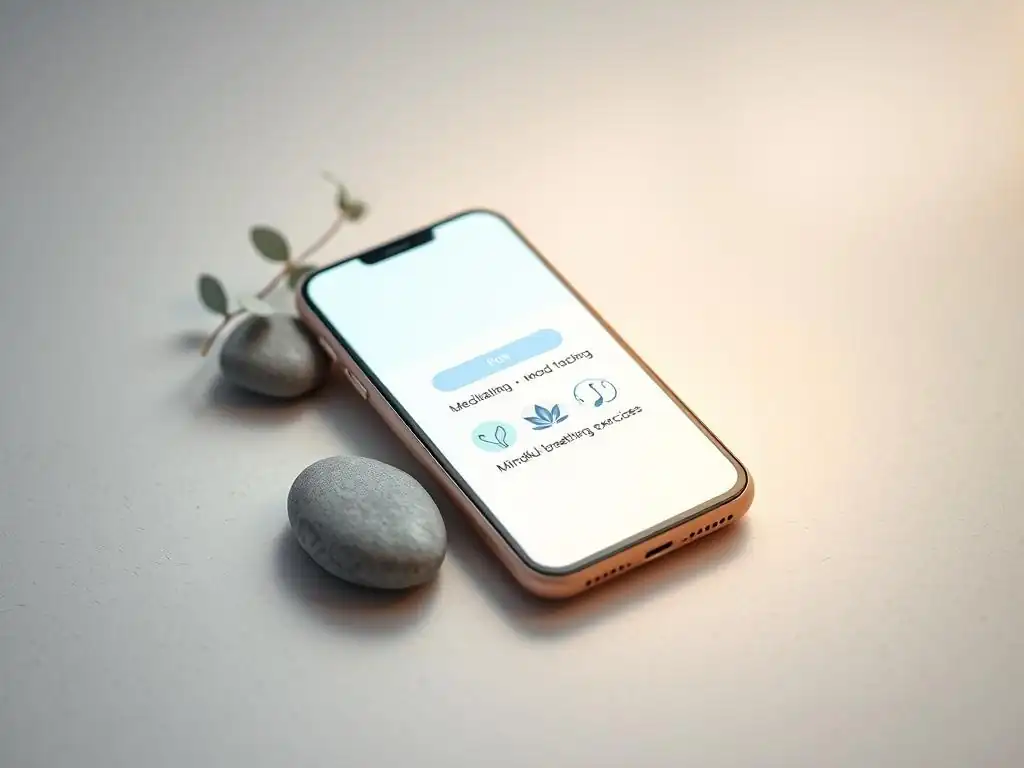
Numerous mental health apps are available that can serve as valuable components of a smartphone digital safety plan, offering immediate support and calming techniques. Apps like Calm, Headspace, or Insight Timer provide guided meditations, breathing exercises, and soothing sounds that can help regulate emotions during distress. Other apps, such as MoodKit or Happify, offer cognitive behavioral therapy (CBT) or positive psychology exercises designed to shift thought patterns and improve mood. While not a substitute for professional help, these apps can provide accessible, on-demand tools for managing anxiety, stress, and low mood.
Integrating these apps into your smartphone digital safety plan means identifying which ones resonate with you and ensuring they are easily accessible. You might create a dedicated folder on your home screen for "Safety Apps" or list specific exercises within your written safety plan document (e.g., "Open Calm app, do 5-minute breathing exercise"). Many apps offer free basic features, making them accessible to a wide range of users. Utilizing these tools for immediate self-support allows you to implement coping strategies quickly when warning signs appear, providing a structured way to engage in calming activities.
Crisis Text Lines and Chat Services
Crisis text lines and chat services offer immediate, confidential support from trained counselors via text or online chat, making them highly accessible components of a smartphone digital safety plan. Services like the Crisis Text Line (text HOME to 741741 in the US) provide 24/7 support for individuals in crisis, connecting them with a volunteer counselor within minutes. The Trevor Project also offers text and chat support specifically for LGBTQ young people. These services are invaluable for those who may find it difficult to speak on the phone during distress or prefer written communication.
Including the contact information for these services directly in your smartphone digital safety plan ensures they are readily available when needed. You can save the text numbers in your contacts or list the website addresses for chat services. For example, your plan might state: "If feeling overwhelmed, text HOME to 741741 for immediate support." The anonymity and ease of use of text and chat services can lower the barrier to seeking help, providing a crucial link to support for individuals navigating difficult emotions, including suicidal ideation.
Apps for Mindfulness and Grounding Exercises
Apps focused on mindfulness and grounding exercises are excellent tools to include in a smartphone digital safety plan, offering practical techniques to anchor yourself in the present moment when feeling overwhelmed or disconnected. Apps like Stop, Breathe & Think or Smiling Mind provide guided mindfulness meditations, body scans, and sensory awareness exercises. Grounding techniques, often incorporated into these apps, help individuals reconnect with their physical surroundings through their senses, which can be particularly helpful during panic attacks or dissociative states.
Incorporating these apps into your plan means identifying specific exercises within them that you find helpful and noting them in your plan. For example, your plan might instruct: "Open Stop, Breathe & Think, complete the 'Mindful Body Scan' exercise." Many of these apps offer short exercises (e.g., 1-5 minutes) that can be done discreetly and quickly, making them ideal for use in various situations. Having these tools readily available on your smartphone empowers you to practice grounding and mindfulness techniques whenever and wherever distress arises, providing immediate support and a sense of control.
Utilizing Smartphone Features for Digital Safety
Setting Up Emergency Contacts and SOS Features
Beyond dedicated mental health apps, a smartphone's built-in features can be powerful elements of a digital safety plan. Setting up emergency contacts is a fundamental step. Most smartphones allow you to designate specific contacts as emergency contacts, who can be reached even from a locked screen.
This is crucial if you are unable to unlock your phone during a crisis but need someone notified. For instance, on both Android and iOS devices, you can add medical information and emergency contacts that are accessible by first responders or anyone trying to help you, often by pressing a combination of buttons or accessing an "Emergency" option on the lock screen.
Leveraging the SOS feature available on many smartphones can provide an additional layer of safety. This feature, when activated (usually by pressing a side or power button multiple times), can automatically call emergency services and/or send a text message with your location to your designated emergency contacts. Including instructions on how to activate this feature within your smartphone digital safety plan ensures you know how to use it when needed.
For example, your plan could state: "If in immediate danger, rapidly press the side button 5 times to activate SOS and notify [Contact Name]." This provides a direct link to help when rapid intervention is necessary.
Using Passwords and Privacy Settings for Digital Boundaries
While accessibility is key for a smartphone digital safety plan, maintaining digital boundaries through passwords and privacy settings is also important for overall digital well-being. Ensuring your phone and sensitive apps are password-protected prevents unauthorized access to your personal information, including your safety plan details and communications with support networks. Using strong, unique passwords or biometric security (fingerprint or facial recognition) adds a layer of privacy.
Furthermore, adjusting privacy settings on social media and other apps can help manage exposure to potential digital triggers. Reviewing who can contact you, who can see your posts, and what information is shared can reduce instances of online harassment or encountering triggering content. Within your smartphone digital safety plan, you might include a reminder to periodically review these settings or list specific actions, such as "Mute accounts that cause distress" or "Review privacy settings on [App Name]." Establishing and maintaining these digital boundaries contributes to a safer online environment, complementing the proactive strategies in your safety plan.
Creating a "Safe Space" on Your Phone
Creating a "safe space" on your phone involves curating a digital environment that is calming, positive, and free from potential triggers. This can be achieved through intentional organization and content management. For instance, you might create a dedicated folder on your home screen containing only the mental health apps, calming music playlists, and digital safety plan document. This makes these resources immediately visible and accessible, acting as a visual cue for self-care during distress.
Beyond app organization, a safe space can involve the type of content you allow yourself to access. This might mean unfollowing or muting accounts on social media that negatively impact your mood, subscribing to positive or inspiring content feeds, or setting your phone's wallpaper to a calming image.
Within your smartphone digital safety plan, you could outline steps for maintaining this safe space, such as "Regularly review who I follow online" or "Keep my home screen organized with easy access to coping tools." Cultivating a positive digital environment on your phone reinforces your commitment to mental well-being and makes accessing support resources less daunting.
Implementing and Maintaining Your Smartphone Digital Safety Plan
Regularly Reviewing and Updating Your Digital Safety Plan
A smartphone digital safety plan is not a static document; it's a living tool that should evolve with your needs and circumstances. Regularly reviewing and updating your plan is crucial to ensure its continued relevance and effectiveness. Life changes, triggers might shift, coping strategies that once worked might become less effective, and support networks can change. Setting a reminder to review your plan periodically, perhaps every few months or after a significant life event, is a good practice.
During a review, check that all contact information is current, the listed coping strategies still resonate and are accessible, and the identified triggers are still accurate. You might also add new resources you've discovered or remove elements that no longer serve you. For example, if a new mental health app has been helpful, add it to your list.
If a friend is no longer in a position to be an emergency contact, update that information. Keeping your smartphone digital safety plan current ensures it remains a reliable and useful tool when you need it most, providing accurate and timely support.
Integrating Your Plan with Professional Mental Health Support
Integrating your smartphone digital safety plan with professional mental health support enhances its effectiveness and provides accountability. Discussing your plan with your therapist or counselor allows them to provide feedback, suggest additional strategies, and ensure the plan aligns with your overall treatment goals. Your provider can help you identify potential blind spots in your plan or troubleshoot difficulties you encounter when trying to use it during distress.
Sharing your plan (or relevant parts of it) with your mental health professional ensures they are aware of the tools and resources you rely on. For instance, you might show your therapist the specific apps you've included or the list of digital triggers you've identified. This collaboration strengthens the therapeutic alliance and ensures that your digital safety plan is a supported part of your journey towards well-being. It also allows your provider to help you navigate challenges related to technology use, such as managing screen time or dealing with online stressors, within the context of your safety plan.
Sharing your smartphone digital safety plan with one or two trusted individuals from your support network is an optional but potentially beneficial step. These individuals could be close family members or friends who you have designated as emergency contacts. Informing them about your plan means they are aware of the steps you intend to take when in distress and how they can best support you. It provides them with concrete ways to help, rather than feeling unsure or helpless during a crisis.
When sharing, you can decide how much information to disclose. You might share the entire plan or just key elements, such as your emergency contacts and preferred crisis resources. For example, you could tell a trusted friend, "I have a digital safety plan on my phone.
If I reach out when I'm struggling, it has a list of things that help me, like listening to a specific playlist, and contact info for the crisis line. If I can't reach you, please know I have these resources." Sharing your smartphone digital safety plan creates a layer of external support, allowing your network to be more effectively involved in your safety and well-being.
Overcoming Challenges in Using a Smartphone Digital Safety Plan
Addressing Technology Dependence and Screen Time
One challenge when relying on a smartphone digital safety plan is navigating technology dependence and managing screen time. While the smartphone is a valuable tool for accessing support, excessive or problematic phone use can sometimes contribute to mental health challenges like anxiety, sleep disturbances, or social isolation. It's important to use the smartphone intentionally as a tool for well-being, rather than allowing it to become a source of distress or avoidance.
Addressing this involves incorporating healthy technology habits into your broader well-being strategy, potentially even within the digital safety plan itself. This might include setting specific times for checking certain apps, using phone features to monitor and limit screen time, or designating "phone-free" periods during the day. For example, your plan might include a section on "Healthy Tech Habits," listing actions like "Put phone away 30 minutes before bed" or "Use app limits for social media." Balancing the use of the smartphone as a safety tool with mindful, limited engagement is key to maximizing its benefits while minimizing potential drawbacks.
Dealing with Digital Triggers and Online Harassment
Smartphones are gateways to the online world, which can unfortunately be sources of digital triggers and even online harassment. Encountering triggering content (e.g., negative news, cyberbullying, upsetting images) or experiencing harassment online can significantly impact mental well-being and potentially escalate distress. A smartphone digital safety plan must account for these risks and include strategies for mitigating them.
Strategies for dealing with digital triggers and online harassment within your plan might include specific actions like blocking or muting harassing accounts, reporting abusive content, or taking a complete break from social media or online forums that are causing distress. Your plan could list apps or websites to avoid when feeling vulnerable or outline steps for a "digital detox" period. For example, "If encountering triggers on [App Name], close the app immediately and open a grounding exercise app instead." Having a plan for responding to these online stressors empowers you to protect yourself in the digital space.
Ensuring Privacy and Security of Your Plan Information
Given the sensitive nature of a personal safety plan, ensuring the privacy and security of the information stored on your smartphone is paramount. Your plan may contain details about your triggers, emotional state, and contact information for your support network and crisis services. Unauthorized access to this information could compromise your privacy and potentially cause distress.
To ensure privacy and security, always use strong passwords or biometric security to lock your phone. If storing your plan in a notes app or document, ensure that app or document is also password-protected if possible. Be cautious about using third-party apps to store highly sensitive information unless you are confident in their security measures.
Within your smartphone digital safety plan, include a reminder about these security practices, such as "Ensure phone is always password protected" or "Do not share my safety plan file with unauthorized individuals." Taking these steps helps protect your personal information while keeping your essential safety resources accessible only to you.
Resources for Building and Maintaining Your Digital Safety Plan
Mental Health Organizations Offering Digital Support
Many reputable mental health organizations offer resources that can be invaluable when building and maintaining a smartphone digital safety plan. Organizations like the National Alliance on Mental Illness (NAMI) or Mental Health America (MHA) provide online information about safety planning, coping strategies, and finding support. Some organizations also offer online communities or forums where individuals can share experiences and find peer support, which can be helpful in identifying digital coping mechanisms or discussing challenges related to technology use.
These organizations often have websites with extensive libraries of articles, guides, and tools. For instance, you might find printable safety plan templates that can be adapted for digital use or lists of recommended mental health apps. Including links (or simply the names and search terms) for these organizations within your smartphone digital safety plan can provide easy access to additional support and information when you are reviewing or updating your plan. They serve as reliable sources for expanding your knowledge about mental well-being and digital safety.
Online Tools and Templates for Creating Safety Plans
Various online tools and templates are available that can assist in structuring and creating a smartphone digital safety plan. Websites of mental health non-profits, government health agencies, or even individual therapists often provide downloadable safety plan worksheets or interactive online tools. While many are designed for traditional paper plans, they can be easily adapted for a digital format, such as a document or note on your phone.
Using a template can help ensure you cover all essential components of a comprehensive safety plan, such as identifying triggers, listing coping strategies, and noting emergency contacts. For example, searching for "suicide safety plan template PDF" might yield structured worksheets that you can fill out digitally on your phone or use as a guide to create your own plan within a notes app. These resources provide a framework, making the process of building your smartphone digital safety plan less daunting and ensuring key elements are not overlooked.
Local Resources for Mental Health Support
While a smartphone digital safety plan relies heavily on digital tools, integrating information about local, non-digital resources is also important. This includes contact information for local crisis centers, walk-in clinics, hospital emergency departments, and local mental health service providers. Knowing where to go or who to call for in-person support can be crucial if digital tools feel insufficient or if a crisis requires immediate, in-person intervention.
Include a list of relevant local resources within your smartphone digital safety plan, noting their addresses, phone numbers, and hours of operation if applicable. For instance, "Nearest Emergency Room Address: [Address]" or "Local Crisis Center Phone: [Phone Number]." Having this information readily available on your phone ensures you can access help in your community when needed. This blend of digital and local resources creates a more robust and comprehensive safety net, providing options for support in various situations.
Promoting Digital Well-being
Setting Healthy Boundaries with Technology
Promoting overall digital well-being is intrinsically linked to the effectiveness of a smartphone digital safety plan. Setting healthy boundaries with technology use helps prevent potential triggers and maintains a balanced relationship with your device. This involves being mindful of how much time you spend on your phone and what you are doing during that time. It's about conscious use rather than passive scrolling.
Practical steps for setting boundaries include scheduling specific times for checking emails or social media, turning off non-essential notifications to reduce interruptions, and establishing "phone-free" zones or times, such as during meals or before bed. Incorporating these practices into your daily routine can reduce anxiety and improve focus, creating a healthier foundation for your mental well-being. Think of it as preventative care for your digital life, reducing the likelihood of needing to activate your smartphone digital safety plan due to technology-related stress.
Practicing Digital Mindfulness
Practicing digital mindfulness means engaging with your smartphone and online content with awareness and intention, rather than on autopilot. This involves paying attention to how your phone use makes you feel, recognizing when you are mindlessly scrolling, and making conscious choices about what content you consume and how long you engage with it. It's about being present while using technology and understanding its impact on your mental state.
Mindful technology use can involve taking a moment to pause before opening an app and asking yourself why you are opening it, or noticing your emotional reaction to certain content without judgment. It also means being intentional about breaks, stepping away from your phone periodically to engage with your physical environment or other activities. Cultivating digital mindfulness helps you become more attuned to potential digital triggers and empowers you to make healthier choices about your phone use, reinforcing the proactive elements of your smartphone digital safety plan.
Balancing Smartphone Use and Mental Health
Ultimately, promoting digital well-being and utilizing a smartphone digital safety plan is about finding a healthy balance between using your phone as a helpful tool and ensuring it doesn't detract from your overall mental health. The smartphone can be a powerful asset for accessing support, connecting with loved ones, and utilizing therapeutic apps, but it can also be a source of stress, comparison, and isolation if not managed mindfully.
Achieving this balance involves continuously evaluating your relationship with your device and making adjustments as needed. It means recognizing when your phone use is beneficial (e.g., checking in with a supportive friend, using a grounding app) and when it might be harmful (e.g., doomscrolling through negative news, engaging in online arguments). Your smartphone digital safety plan is a key part of this balance, providing a structured way to use your phone specifically for support during challenging times, ensuring that this powerful device serves your mental well-being rather than hindering it.
Frequently Asked Questions
What is a Smartphone Digital Safety Plan, and why is it important for mental well-being?
A Smartphone Digital Safety Plan is a proactive strategy to manage your digital interactions and prevent negative impacts on your mental health. It helps you control your online experiences and minimize exposure to harmful content.
What types of apps and tools can be included in a Smartphone Digital Safety Plan?
A Digital Safety Plan may include apps for limiting screen time, blocking unwanted contacts, filtering content, and promoting mindfulness and meditation. These tools help create a safer and more supportive digital environment.
How can I create a personalized Smartphone Digital Safety Plan that addresses my specific needs?
Start by identifying your triggers and vulnerabilities online. Then, choose apps and tools that address those specific areas, focusing on setting boundaries and cultivating healthier digital habits.
How often should I review and update my Smartphone Digital Safety Plan?
It's recommended to review your Digital Safety Plan regularly, ideally every few weeks or months. As your needs and online habits change, adjust the tools and strategies you use to maintain its effectiveness.
Where can I find more resources and support for creating and implementing a Smartphone Digital Safety Plan?
Websites like Mind Care Guide offer information and resources. You can also seek guidance from mental health professionals or explore support groups focused on digital well-being.
Final Reflection: Building a Fortress of Digital Security
The pervasive nature of technology in our lives demands a proactive approach to digital safety; neglecting this crucial aspect leaves us vulnerable to an increasingly sophisticated landscape of online threats. This article has explored a range of apps and tools designed to bolster your smartphone's defenses, offering a practical guide to building a personalized digital safety plan. But the journey to online security is not a destination, but an ongoing process of adaptation and vigilance.
The impact of digital safety extends far beyond individual users; it shapes the very fabric of our online communities and influences how we interact with information. The ease with which personal data can be compromised underscores the urgent need for digital literacy and responsible online behavior. As the late, great Bruce Lee once said, Knowing is not enough; we must apply. Willing is not enough; we must do.
This applies directly to digital safety; knowledge of the tools and techniques is only half the battle. Consistent application and a proactive approach are essential to maintaining a secure digital life.
Consider the information presented in this article as a foundation upon which to build your own robust digital safety plan. Don't just passively consume this knowledge; actively explore the apps and tools mentioned, experiment with different configurations, and tailor your approach to your specific needs and vulnerabilities. You are the architect of your own digital security; take ownership of your online presence and build a fortress that protects your privacy and peace of mind. The future of digital safety depends on our collective commitment to responsible online practices.
Unlock Your Digital Fortress: Take Control of Your Online Safety Now!
Thanks for taking the time to explore digital safety strategies with us! You've now armed yourself with valuable knowledge to protect your online well-being. Let's put that knowledge into action.
- Prioritize: Immediately review your phone's privacy settings and update any outdated apps. This is the single most impactful step you can take today.
- Share this article with loved ones – especially those who might need a little extra help navigating the digital world. Helping others is a great way to reinforce your own learning.
- Explore additional resources! Search online for specific app reviews and security updates relevant to the apps you use most often.
So, what's the first app you're going to check and update based on what you learned today? Let's hear about your experience in the comments below!