
Don't Just Track Sleep, Improve It: Actionable Steps from Your Wearable Data


Welcome to Mind Care Guide, a safe space to navigate the complexities of mental well-being. Feeling lost in the sea of sleep data from your wearable? You're not alone. Many struggle to translate those numbers into meaningful change. Dive into our latest article, "Don't Just Track Sleep, Improve It: Actionable Steps from Your Wearable Data," where we unlock the secrets to using your improve sleep wearable data tips to finally achieve restful nights and brighter days. Ready to transform your sleep and reclaim your well-being? Let's begin!
Don't Just Track Sleep, Improve It: Actionable Steps from Your Wearable Data
- Understanding Your Sleep Data: A Mind Care Guide to Better Rest
- How to Improve Sleep Quality Using Wearable Data Tips
- Actionable Steps for Specific Sleep Problems Using Wearable Data
- Advanced Sleep Optimization: Beyond the Basics with Wearable Technology
- Improve Sleep Wearable Data Tips: Maximizing the Benefits for Mental Well-being
- Conclusion: Taking Control of Your Sleep and Improving Your Mental Health.
-
Frequently Asked Questions
- How can wearable data help improve my sleep, and what are the initial steps I should take?
- My wearable shows I'm consistently getting poor sleep scores. What specific data points should I focus on to address this?
- What are some actionable steps I can take based on wearable data indicating frequent nighttime awakenings?
- How accurate are wearables in tracking sleep, and what are their limitations in providing a complete picture of my sleep health?
- Besides sleep duration and stages, what other wearable data (e.g., heart rate variability) can offer valuable insights into my sleep and overall well-being?
- Final Reflection: Unlocking the Power of Sleep: From Data to Deeper Rest
- Unlock Your Best Sleep Yet: Actionable Steps to Better Rest
Understanding Your Sleep Data: A Mind Care Guide to Better Rest
Interpreting Your Wearable's Sleep Stages: REM, Deep Sleep, and Light Sleep
Wearable devices like smartwatches and rings have become powerful tools for tracking sleep, moving beyond simple duration to analyze sleep architecture. Your device typically breaks down your night into distinct stages: Light Sleep, Deep Sleep (also known as slow-wave sleep), and REM (Rapid Eye Movement) sleep. Understanding these stages is crucial because each plays a vital role in physical and mental restoration.
Light sleep is a transition phase; deep sleep is essential for physical recovery, muscle repair, and growth hormone release; and REM sleep is primarily associated with dreaming, memory consolidation, and emotional processing. A healthy night's sleep involves cycling through these stages multiple times.
While no consumer wearable is as accurate as a clinical polysomnography (PSG) test conducted in a lab, they provide valuable insights into your sleep patterns over time. Devices use a combination of movement (actigraphy) and heart rate data to estimate these stages. For example, during deep sleep, your heart rate and breathing slow down significantly, and movement is minimal.
During REM sleep, movement is also low, but heart rate and breathing can become more erratic, and brain activity resembles wakefulness. By looking at the percentage of time spent in each stage – typically aiming for around 15-25% Deep Sleep and 20-25% REM Sleep for adults – you can begin to identify potential imbalances in your sleep cycle and use these improve sleep wearable data tips to make adjustments.
Deciphering Key Metrics: Heart Rate Variability (HRV) and Sleep Score
Beyond sleep stages, wearables track several other metrics that offer clues about your sleep quality and overall recovery. Heart Rate Variability (HRV) is one such key metric, measuring the variation in time between your heartbeats.
A generally higher HRV (relative to your baseline) during sleep often indicates a more relaxed nervous system and better recovery, while a lower HRV might suggest stress, illness, or poor recovery. Monitoring your HRV trends over several nights can help you understand how different daily factors – like intense exercise, alcohol consumption, or stress – impact your body's ability to rest and recover during sleep.
Many wearables also provide a single "Sleep Score" which synthesizes various data points – like sleep duration, time in each stage, awakenings, and sometimes HRV or resting heart rate – into a single number. While a high score is generally desirable, it's important not to rely solely on this number. The real value comes from understanding the components of the score and how they change in response to your actions.
For example, if your score is low, delve into the details: was it due to insufficient duration, poor deep sleep, or too many awakenings? This granular data allows for more targeted improve sleep wearable data tips and interventions rather than just aiming for a higher number blindly.
How to Improve Sleep Quality Using Wearable Data Tips
Step 1: Identifying Patterns in Your Sleep Data with Your Wearable's Sleep Analysis
One of the most powerful applications of wearable sleep tracking is identifying recurring patterns that might be hindering your rest. Don't just look at one night; analyze your data over weeks or even months. Are you consistently getting less deep sleep on weeknights compared to weekends? Does your REM sleep duration drop significantly after late-night meals or screen time?
Your wearable's sleep analysis features are designed to help you visualize these trends. Look for correlations between your daily activities (logged manually or detected automatically) and your sleep metrics. This observational phase is critical before implementing any improve sleep wearable data tips.
For instance, you might notice that your sleep latency (the time it takes to fall asleep) is consistently high on nights when you consume caffeine after 3 PM. Or perhaps your wearable data shows frequent awakenings around 3 AM every night you have a large meal close to bedtime. These patterns, revealed by your wearable, provide concrete evidence of how your lifestyle choices are impacting your sleep architecture. Armed with this personalized information, you can move from mere tracking to informed action, using these improve sleep wearable data tips to target the specific issues identified in your data.
Recognizing Late-Night Screen Time Impacts Your REM Sleep
A common pattern identified by wearable data is the negative impact of late-night screen use on sleep quality, particularly REM sleep. The blue light emitted by phones, tablets, and computers suppresses melatonin production, the hormone that signals to your body that it's time to sleep. This can increase sleep latency and disrupt the natural sleep cycle. Your wearable data might show that on nights you use screens right before bed, your time spent in REM sleep is reduced compared to nights when you engage in relaxing, screen-free activities.
For example, reviewing your wearable data might reveal that on average, nights with screen use in the hour before bed correlate with a 10-15% reduction in REM sleep duration compared to nights without. This reduction in REM sleep can affect mood, cognitive function, and memory. Recognizing this specific correlation in your own data provides a compelling reason to implement a digital curfew. By consistently putting screens away an hour or two before your target bedtime and monitoring the subsequent change in your REM sleep data, you can see the direct positive impact of this improve sleep wearable data tip.
Step 2: Optimizing Your Sleep Environment Based on Wearable Insights
Your sleep environment plays a massive role in sleep quality, and wearable data can help pinpoint areas for improvement. Factors like temperature, light, and noise can all affect how well you sleep, particularly the amount of time you spend in restorative deep sleep. If your wearable consistently shows fragmented sleep or insufficient deep sleep, it might be time to evaluate your bedroom setup. Making small, data-informed adjustments to your environment can lead to significant improvements in your sleep metrics.
For example, if your wearable data indicates frequent awakenings or difficulty staying asleep in the latter half of the night, consider factors like light creeping in from windows or noise disturbances. Using blackout curtains or earplugs might be simple, yet effective, improve sleep wearable data tips. Similarly, if your device notes restlessness or a higher-than-usual resting heart rate during sleep, your bedroom temperature might be too high. Wearable data helps connect these environmental factors to your physiological responses during sleep, making the need for change more tangible.
Lowering Bedroom Temperature: The Impact on Deep Sleep
Temperature is one of the most critical environmental factors for achieving quality sleep, especially deep sleep. Your body temperature naturally dips as you prepare for sleep and remains lower during the night. A bedroom that is too warm can interfere with this natural thermoregulation process, making it harder to fall asleep and stay in deeper sleep stages. Sleep experts often recommend a bedroom temperature between 60-67°F (15-19°C) for optimal sleep.
Your wearable data might indirectly highlight a temperature issue. If you notice your deep sleep is consistently low, or you experience more awakenings during the night, especially during warmer months or if your thermostat is set high, temperature could be the culprit. While your wearable won't measure room temperature, it tracks your body's response.
Experiment with lowering your thermostat by a few degrees and observe your wearable data over the following nights. Many users report an increase in deep sleep duration and fewer awakenings when they optimize their bedroom temperature, demonstrating a practical application of improve sleep wearable data tips.
Utilizing White Noise Machines: Dohm Classic Natural Sound Machine for Consistent Sleep
External noises are a common disruptor of sleep, even if you don't fully wake up. Traffic, barking dogs, or household sounds can pull you out of lighter sleep stages or prevent you from entering deeper sleep. A white noise machine creates a consistent, soothing soundscape that masks these sudden noises, promoting more stable sleep. Devices like the Dohm Classic Natural Sound Machine produce a fan-based white noise that can be very effective.
Using a white noise machine can be an effective improve sleep wearable data tip if your data indicates fragmented sleep or frequent "awake" periods, even brief ones. Start using the machine consistently and check your wearable data after a week or two. You might observe a reduction in the number or duration of awakenings recorded by your device, or a slight increase in total sleep time or time spent in consolidated sleep stages. This provides data-driven evidence that the white noise is helping to create a more consistent and less disturbed sleep environment for you.
Step 3: Adjusting Your Bedtime Routine Based on Your Sleep Patterns
Your pre-sleep routine significantly influences how easily and effectively you transition into sleep. Wearable data can offer valuable insights into whether your current routine is working or hindering your sleep onset and quality. Analyzing metrics like sleep latency and the time it takes to reach the first cycle of deep or REM sleep can help you tailor a routine that better prepares your body and mind for rest.
If your wearable consistently shows a long sleep latency (taking more than 20-30 minutes to fall asleep), your bedtime routine might be too stimulating, or you might be trying to go to bed before your body is ready. Conversely, if you frequently fall asleep very quickly but wake up feeling unrefreshed, it could indicate insufficient sleep duration or poor sleep quality in later cycles, potentially linked to inconsistent bedtime or morning routines. Using your wearable data to guide adjustments to your wind-down activities and timing is a key improve sleep wearable data tip.
The Power of a Consistent Sleep Schedule: Using a Sleep Tracking App to Monitor Progress
One of the most fundamental principles of sleep hygiene is maintaining a consistent sleep schedule, even on weekends. Going to bed and waking up at roughly the same time helps regulate your body's internal clock, the circadian rhythm. Disrupting this rhythm, often referred to as "social jet lag," can negatively impact sleep quality and overall health. Your wearable and its accompanying app are excellent tools for monitoring your adherence to a consistent schedule and observing its effects on your sleep data.
Use your wearable's app to log your actual bedtime and wake-up time each day. Compare this against your target schedule. Over time, observe how consistent timing affects your sleep metrics – does maintaining a strict schedule lead to more stable sleep duration, improved sleep efficiency (percentage of time in bed actually spent asleep), or more predictable sleep stage patterns?
Many individuals find that even shifting their weekend wake-up time by just 60-90 minutes compared to weekdays can negatively impact their Sunday night sleep latency and Monday morning alertness, as reflected in their wearable data. This demonstrates the value of using sleep tracking app data to reinforce the importance of consistency as an improve sleep wearable data tip.
Pre-Sleep Relaxation Techniques: Guided Meditation and Its Effect on Sleep Latency
If your wearable data consistently shows a high sleep latency, it indicates difficulty transitioning from wakefulness to sleep. This is often linked to a racing mind, stress, or physical tension. Incorporating relaxation techniques into your bedtime routine can significantly help. Guided meditation, deep breathing exercises, or gentle stretching can calm the nervous system and prepare your body for rest.
Try incorporating a 10-20 minute guided meditation session using an app before bed for a week or two. Monitor your sleep latency as reported by your wearable device. Many people find that consistent use of relaxation techniques leads to a noticeable decrease in the time it takes to fall asleep, sometimes reducing sleep latency by 10 minutes or more on average. This provides direct evidence from your own data that this specific improve sleep wearable data tip is effective for you.
Step 4: Leveraging Wearable Data to Optimize Your Diet and Exercise
What you eat and when you exercise have profound effects on your sleep. Certain foods and drinks can be stimulating or disruptive, while exercise timing and intensity can either promote or hinder sleep. Your wearable data can help you identify correlations between your dietary and exercise habits and your sleep quality, guiding you toward better choices.
For example, if your wearable data shows increased awakenings or reduced deep sleep on nights following late-evening heavy meals, it suggests your digestive system is interfering with rest. Similarly, if intense exercise close to bedtime correlates with increased sleep latency or a higher resting heart rate during sleep, it might indicate that your body isn't winding down effectively. Using your wearable data to connect these dots allows you to make targeted adjustments to your diet and exercise timing, applying these improve sleep wearable data tips for better rest.
Tracking Evening Caffeine Intake: Recognizing the Impact on Sleep Onset
Caffeine is a stimulant with a relatively long half-life (typically 3-5 hours, but can be longer in some individuals), meaning its effects can linger for many hours after consumption. Drinking caffeine too late in the day is a common cause of increased sleep latency and fragmented sleep. While you might not feel jittery, the caffeine can still disrupt your sleep architecture.
Use your wearable data to test the impact of your caffeine habits. Note the time of your last caffeinated beverage each day (coffee, tea, soda, energy drinks). Analyze your sleep latency and sleep efficiency data.
Do you notice that on days you consume caffeine after, say, 2 PM, your sleep latency is higher and your total sleep time is lower? Many studies and individual wearable data analyses confirm this link, with some showing that caffeine consumed even 6 hours before bed can reduce total sleep time by over an hour. Identifying this pattern in your own data provides a strong incentive to limit or eliminate evening caffeine as a crucial improve sleep wearable data tip.
The Benefits of Morning Exercise: Improved Sleep Data
Regular exercise is generally beneficial for sleep, helping to reduce stress and fatigue, and promoting deeper sleep. However, the timing of exercise matters. While moderate exercise at any time can be helpful, intense exercise too close to bedtime can be stimulating and raise body temperature, making it harder to fall asleep. Conversely, morning exercise, especially exposure to natural light, helps regulate your circadian rhythm, making it easier to fall asleep later that night.
If your wearable data shows inconsistent sleep onset or difficulty waking up feeling refreshed, consider shifting your exercise routine to the morning. Track your sleep metrics, including sleep latency and sleep efficiency, after a few weeks of consistent morning workouts. Many individuals report improved sleep quality, including a reduction in the time it takes to fall asleep and an increase in sleep efficiency, when they make this change. This demonstrates how strategically timing your physical activity, informed by potential sleep issues seen in your data, can be an effective improve sleep wearable data tip.
Actionable Steps for Specific Sleep Problems Using Wearable Data
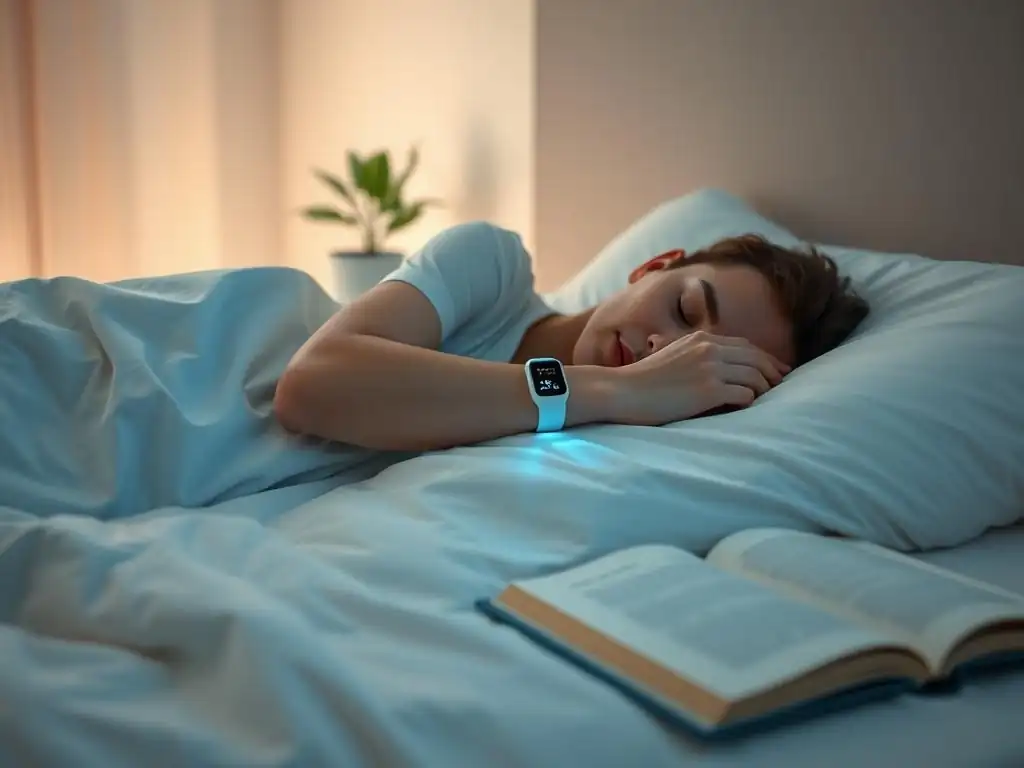
Addressing Insomnia: Using Wearable Data to Identify Contributing Factors
Insomnia, characterized by difficulty falling or staying asleep, can be debilitating. While a wearable cannot diagnose insomnia, the data it collects can be invaluable in identifying potential contributing factors and tracking the effectiveness of interventions. Wearable metrics like sleep latency, total sleep time, sleep efficiency, and the number of awakenings are directly relevant to understanding the nature of your insomnia.
By consistently tracking your sleep with a wearable, you can identify patterns associated with your insomnia. Does your insomnia worsen on certain days of the week? Is it linked to stress levels (potentially indicated by HRV)? Does it correlate with screen time, late meals, or alcohol consumption? Your wearable data provides objective evidence of your sleep patterns, which can be shared with a healthcare professional to aid in diagnosis and treatment planning. Analyzing this data is a critical first step in applying improve sleep wearable data tips specifically for insomnia.
Trying Cognitive Behavioral Therapy for Insomnia (CBT-I): An Online CBT-I Program for Insomnia Treatment
Cognitive Behavioral Therapy for Insomnia (CBT-I) is the most recommended first-line treatment for chronic insomnia. It addresses the thoughts, feelings, and behaviors that contribute to sleep difficulties. While not a wearable itself, using your wearable data alongside a CBT-I program can significantly enhance its effectiveness. CBT-I often involves keeping a sleep diary, and wearable data provides an objective, less subjective record of your sleep patterns.
If you are undertaking an online CBT-I program for insomnia treatment, use your wearable to track your progress. The program might recommend specific techniques like sleep restriction (temporarily limiting time in bed) or stimulus control (associating the bed only with sleep). Monitor how implementing these strategies impacts your wearable metrics – does sleep restriction initially reduce total sleep time but increase sleep efficiency?
Does stimulus control decrease sleep latency? Seeing these changes reflected in your data can be motivating and help you stick with the program, making your wearable a powerful tool in applying improve sleep wearable data tips within a clinical framework.
Combatting Sleep Apnea: Recognizing Potential Signs and Seeking Professional Help
Sleep apnea is a serious sleep disorder where breathing repeatedly stops and starts during sleep. Common signs include loud snoring, gasping for air during sleep, and excessive daytime sleepiness. While consumer wearables cannot definitively diagnose sleep apnea, some advanced devices can track metrics that might indicate a risk or potential presence of the condition, prompting you to seek professional medical evaluation.
If your wearable data shows frequent awakenings accompanied by drops in blood oxygen levels (if your device has SpO2 monitoring) or significant disturbances in your breathing patterns (some advanced devices attempt to track this), it's crucial to view this as a warning sign, not a diagnosis. These patterns, especially when combined with symptoms like loud snoring reported by a partner, should prompt an immediate consultation with a doctor or sleep specialist.
Using your wearable data in this context is not about self-treating but about gathering information to share with a professional, allowing them to provide accurate diagnosis and treatment, which is the ultimate improve sleep wearable data tip for this potentially serious condition.
Monitoring Oxygen Saturation Levels: Using a Wearable with SpO2 Monitoring to Detect Potential Issues
One specific metric that can be particularly relevant for potential sleep apnea is blood oxygen saturation (SpO2). Some newer wearables are equipped with pulse oximeters that can estimate your SpO2 levels during sleep. Healthy SpO2 levels are typically 95-100%. Significant or frequent dips below this level, especially below 90%, during the night can be an indicator of impaired breathing, such as that caused by sleep apnea.
If your wearable with SpO2 monitoring consistently reports low oxygen levels or frequent drops during your sleep, take this data seriously. While these sensors are not medical devices and should not be used for diagnosis, they can provide concerning signals. For instance, if your device shows multiple instances per hour where your SpO2 drops below 90% for several seconds, coupled with reports of snoring or daytime fatigue, share this data with your doctor.
This objective data point from your wearable can be the nudge needed to pursue a formal sleep study, which is necessary for a sleep apnea diagnosis. This highlights how monitoring oxygen saturation levels using a wearable with SpO2 monitoring can be a life-changing improve sleep wearable data tip by alerting you to a potential health issue.
Advanced Sleep Optimization: Beyond the Basics with Wearable Technology
Exploring Biofeedback Techniques: Using a Biofeedback Device to Train Your Brain for Better Sleep
Biofeedback is a technique that teaches you to control physiological responses, such as heart rate, breathing, and brain waves, to improve health and well-being. While traditional biofeedback requires clinical equipment, some advanced consumer devices and wearables are incorporating biofeedback principles, particularly for stress management and sleep improvement. These devices might guide you through breathing exercises while monitoring your heart rate or HRV, providing real-time feedback on how your body is responding.
For sleep optimization, biofeedback can help you learn to relax your body and quiet your mind, which are essential for falling asleep. Some specialized biofeedback devices or apps integrated with wearables might guide you to slow your breathing rate to a specific target or visualize calming scenes while showing you how these practices affect your physiological signals like skin temperature or heart rate variability.
Consistent practice can train your nervous system to enter a more relaxed state conducive to sleep. While not a direct improve sleep wearable data tip from standard sleep data, using a biofeedback device in conjunction with sleep tracking allows you to see how mastering these techniques impacts your sleep metrics over time.
Utilizing Smart Alarm Features: Waking Up Feeling Refreshed with a Smart Wake-Up Feature
Waking up abruptly during a deep sleep cycle can leave you feeling groggy and disoriented, even if you got sufficient sleep duration. Many wearables include a "smart alarm" or "smart wake-up" feature designed to prevent this. Instead of waking you at a fixed time, the smart alarm is set within a window (e.g., 30 minutes) before your target wake-up time. During this window, the device monitors your sleep cycles and attempts to wake you when it detects you are in a period of light sleep.
By leveraging your wearable's sleep stage tracking, the smart alarm aims to rouse you when your body is naturally closer to wakefulness. This can significantly reduce sleep inertia and help you feel more refreshed upon waking. While the impact on overall sleep quality might be indirect, consistently waking up feeling better can improve your daytime mood and productivity, contributing to overall well-being. Experimenting with your wearable's smart wake-up feature and noting how you feel upon waking is a simple but effective improve sleep wearable data tip for improving your morning experience.
Improve Sleep Wearable Data Tips: Maximizing the Benefits for Mental Well-being
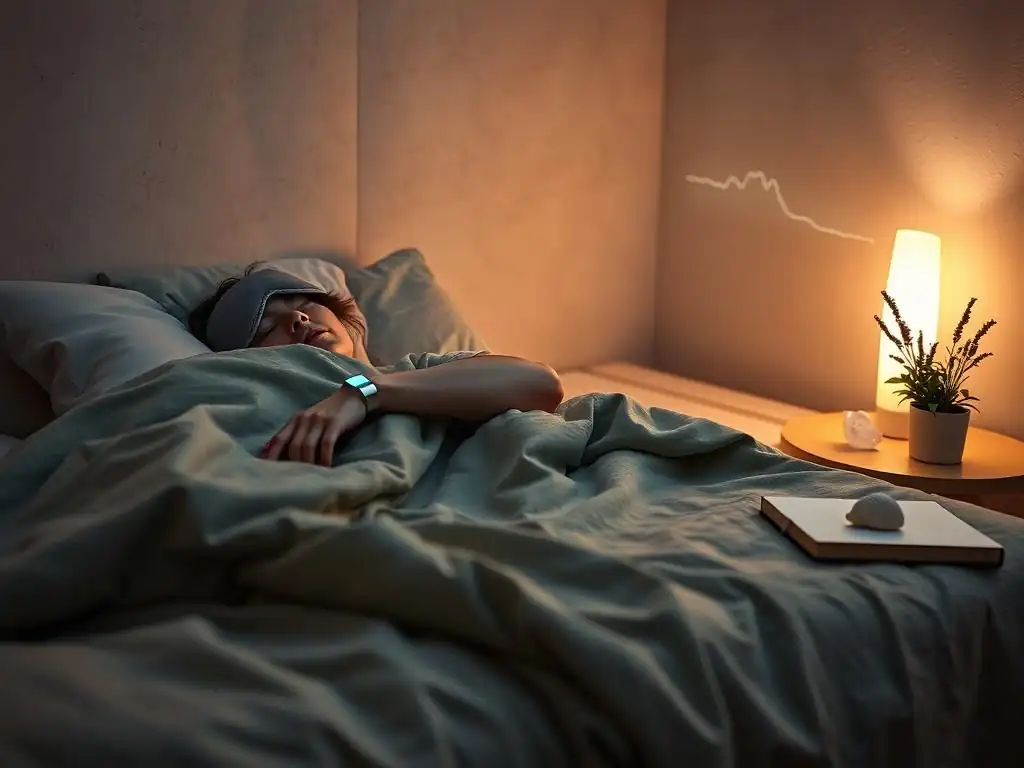
The Connection Between Sleep Quality and Mental Health: A Holistic Approach
The link between sleep quality and mental health is profound and bidirectional. Poor sleep can exacerbate symptoms of mental health conditions like anxiety, depression, and stress, while these conditions can, in turn, disrupt sleep. Improving sleep isn't just about feeling less tired; it's a critical component of comprehensive mental well-being. Your wearable data provides objective insights into this connection, allowing you to see how changes in one area affect the other.
For example, you might notice through your wearable data that periods of high stress (perhaps indicated by lower HRV or increased resting heart rate during the day) correlate with fragmented sleep or reduced deep sleep duration. Conversely, implementing strategies to improve sleep based on your wearable data – like maintaining a consistent schedule or reducing late-night screen time – might lead to improvements in mood or a reduction in anxiety symptoms, as observed through self-assessment or tracking in a separate mental health app.
Viewing your sleep data through the lens of mental health underscores the importance of these improve sleep wearable data tips.
Integrating Wearable Data with Mental Health Apps: A Complete Wellness Solution
Many wearable platforms offer integrations with other health and wellness apps, including those focused on mental health. Connecting your sleep data with apps that track mood, stress levels, meditation practice, or journaling can provide a more holistic view of your well-being. This integration allows you to see potential correlations that might not be obvious when looking at data in isolation.
For instance, an integrated dashboard might show that on days you meditate for 20 minutes (tracked in a mindfulness app), your wearable data consistently shows a lower resting heart rate during sleep and increased sleep efficiency. Or perhaps periods where your sleep duration drops significantly (per wearable data) correlate with self-reported increases in anxiety or irritability (logged in a mood tracking app).
This cross-referencing of data from various sources creates a powerful feedback loop, helping you identify which lifestyle changes, guided by your wearable data, have the most positive impact on both your sleep and your mental health. This integrated approach maximizes the benefit of improve sleep wearable data tips.
Conclusion: Taking Control of Your Sleep and Improving Your Mental Health.
Frequently Asked Questions
How can wearable data help improve my sleep, and what are the initial steps I should take?
Wearable data provides valuable insights into your sleep patterns. Start by identifying trends in your sleep duration, wake-up times, and sleep stages. Then, compare these patterns to recommended sleep guidelines.
My wearable shows I'm consistently getting poor sleep scores. What specific data points should I focus on to address this?
Focus on sleep latency (time to fall asleep), wake after sleep onset (WASO), and the percentage of time spent in deep sleep. These metrics often correlate with sleep quality.
What are some actionable steps I can take based on wearable data indicating frequent nighttime awakenings?
Review your sleep environment and pre-sleep routine. Consider reducing screen time before bed, optimizing room temperature, and limiting caffeine or alcohol consumption in the evening.
How accurate are wearables in tracking sleep, and what are their limitations in providing a complete picture of my sleep health?
Wearables can estimate sleep stages but are not as accurate as polysomnography (sleep studies). They may misinterpret movement as wakefulness, so their data should be supplemented with subjective experiences.
Besides sleep duration and stages, what other wearable data (e.g., heart rate variability) can offer valuable insights into my sleep and overall well-being?
Heart rate variability (HRV) can indicate stress levels impacting sleep. Lower HRV may suggest higher stress, potentially disrupting sleep. Also, body temperature fluctuations can sometimes highlight underlying health issues.
Final Reflection: Unlocking the Power of Sleep: From Data to Deeper Rest
The data is clear: sleep quality significantly impacts our daily lives, and our wearables offer a powerful window into this often-overlooked aspect of well-being. Ignoring the insights gleaned from sleep trackers is akin to ignoring a crucial piece of the health puzzle. We're not just tracking sleep; we're unlocking the potential for a more vibrant, productive, and fulfilling existence.
The journey from passive data collection to proactive sleep improvement is a deeply personal one. It's about understanding the subtle nuances of your own sleep patterns, identifying triggers for poor sleep, and actively implementing strategies for change. This process has profoundly impacted my own life, teaching me the importance of consistent routines and mindful habits. The body achieves what the mind believes.
This simple truth underscores the power of intentionality in improving sleep quality, a power amplified by the objective data provided by wearables.
Now, it's your turn. Take a moment to reflect on your own sleep patterns. What insights have you gleaned from your wearable data? What small changes can you implement today to cultivate a more restful and restorative sleep experience? Don't just passively track your sleep; actively engage with the data to create a healthier, happier, and more energized you. The journey to better sleep begins with a single, conscious step.
Unlock Your Best Sleep Yet: Actionable Steps to Better Rest
Thanks for taking the time to delve into the world of sleep optimization! We hope you gained valuable insights into how your wearable data can unlock a more restful you. Now it's time to put that knowledge into practice.
Here's what you can do next:
- Prioritize your sleep hygiene: Identify one small change from the article (e.g., adjusting your bedtime routine, optimizing your sleep environment) and commit to implementing it this week. Track your progress and notice the difference!
- Share your sleep journey: Tell us (or a friend!) about your experience with implementing these changes. What challenges did you face? What successes did you celebrate? Sharing your story can inspire others and help you stay accountable.
- Explore advanced sleep analysis: Consider delving deeper into your wearable data. Try experimenting with different sleep tracking features or exploring online resources dedicated to sleep analysis and interpretation - see what hidden patterns you can uncover!
Ready to transform your sleep? What small step will you take tonight to cultivate a more restful night?