The Constant Buzz: Taming Notification Anxiety for a Calmer Mind


Welcome to Mind Care Guide, a sanctuary for your mental well-being.
Do you feel a surge of unease with every ping and buzz of your phone? You're not alone. In today's hyper-connected world, managing notification anxiety effectively is becoming crucial for our peace of mind. Discover practical strategies and compassionate guidance to reclaim control and find a calmer, more focused you within these very pages. Let's explore how to silence the noise and prioritize your mental health, starting now...
- Reclaiming Focus: Managing Digital Notifications for Enhanced Well-being
- Identifying Your Personal Notification Triggers
- Strategies for Effective Notification Management
- Techniques for Reducing Anxiety Triggered by Digital Alerts
- Long-Term Strategies for a Balanced Digital Lifestyle
- Tools and Apps to Support Notification Management and Reduce Stress
- The Benefits of Reduced Notification Anxiety
- Conclusion: Cultivating a Healthy and Balanced Digital Life
-
Frequently Asked Questions
- How does the constant stream of notifications contribute to anxiety?
- What are some practical strategies for reducing notification anxiety?
- How can I identify if I'm actually experiencing notification anxiety?
- What role does digital detox play in managing notification anxiety?
- Are there any long-term benefits to managing notification anxiety effectively?
- Final Reflection: Finding Stillness in the Digital Storm
- Unplug & Reclaim Your Peace: Simple Steps to Digital Wellness
Reclaiming Focus: Managing Digital Notifications for Enhanced Well-being
What is Notification Fatigue? Defining the Modern Distraction
Notification fatigue describes the feeling of being overwhelmed, stressed, or mentally drained by the sheer volume and constant interruption of digital alerts from smartphones, computers, and other devices. It's a pervasive modern phenomenon, a direct consequence of our increasingly connected lives where every app, email, and social interaction seems to demand immediate attention. This constant stream of pings, banners, and vibrations creates a state of perpetual readiness, making it difficult to fully disengage or concentrate deeply on any single task without the implicit expectation of being interrupted.
Consider the average smartphone user who might receive hundreds, if not thousands, of notifications daily across various platforms – email, social media, news apps, messages, calendar reminders, and more. While each individual alert might seem insignificant, their cumulative effect is substantial. This relentless barrage fragments our attention, diminishes our cognitive resources, and contributes to a feeling that we are always 'on' and responsive, even when we are trying to rest or focus on non-digital activities. It's less about the content of any single notification and more about the act of being constantly alerted and the mental toll it takes.
The Link Between Constant Alerts and Increased Stress Levels
The connection between constant digital alerts and heightened stress is increasingly clear in psychological research. Each notification, particularly those perceived as urgent or requiring a quick response, can trigger a mild stress response in the brain. This involves the release of cortisol, the body's primary stress hormone. While acute stress responses are natural and necessary for dealing with immediate threats, the chronic, low-level stress induced by frequent notifications keeps the body in a state of alert, often referred to as a low-grade 'fight or flight' mode.
This persistent activation can lead to increased anxiety, irritability, and difficulty relaxing. Studies have shown a correlation between high notification volume and reported levels of stress and anxiety. For example, research from institutions studying digital well-being often indicates that individuals who feel compelled to check notifications immediately report higher levels of perceived stress than those who can resist the urge. This constant vigilance required by digital demands prevents the mind from fully entering a relaxed state, making managing notification anxiety effectively a crucial step towards mental peace.
How Digital Immersion Contributes to Feelings of Overload
Digital immersion, the state of being deeply engaged with digital devices and online environments for extended periods, significantly contributes to feelings of mental overload. The constant flow of information, coupled with the pressure to process and respond to notifications, taxes our cognitive capacity. Our brains are not wired to handle the simultaneous demands of multiple digital streams and the expectation of instant responsiveness without consequence.
This overload isn't just about the number of notifications; it's also about the context switching they force upon us. Each time a notification arrives, our attention is pulled away from our current task, requiring mental effort to switch focus, process the new information, and then attempt to return to the original task.
This constant switching is mentally exhausting and reduces productivity and concentration. Furthermore, the curated, often idealized, content presented through social media notifications can lead to social comparison and feelings of inadequacy, adding an emotional layer to the cognitive overload and making managing notification anxiety effectively even more challenging.
Identifying Your Personal Notification Triggers
Recognizing Stressors: Which Platforms and Alerts Cause the Most Discomfort?
Identifying which specific notifications and platforms are the most significant stressors is a critical first step in managing notification anxiety effectively. Not all alerts are created equal; some might be genuinely important (like a work emergency), while others are purely distractions (like a game requesting you to return). Pay close attention to how you feel when different types of notifications pop up. Do work emails send a jolt of anxiety? Does seeing a social media notification trigger a fear of missing out (FOMO) or social comparison? Do news alerts make you feel overwhelmed by world events?
A helpful exercise is to keep a simple log for a day or two, noting down which apps or types of notifications arrive and your immediate emotional or physical reaction. You might discover that while you receive many notifications from various sources, the ones that truly disrupt your peace or trigger anxiety are limited to a few specific categories or applications.
For instance, you might find that group chat notifications are manageable, but alerts from your primary work communication tool or a specific social media feed consistently raise your stress levels. Recognizing these specific triggers allows you to target your notification management strategies effectively.
Analyzing Your Usage: A Self-Assessment of Digital Habits
Understanding your digital habits is key to addressing notification anxiety at its root. How often do you check your phone? Is it a conscious decision or a reflexive action immediately after a notification arrives? Do you feel a compulsion to clear all notifications as soon as they appear? A self-assessment involves honestly evaluating your relationship with your devices and the role notifications play in that relationship.
Consider tracking your screen time using built-in phone features or third-party apps. Look at which apps consume most of your time and how often you unlock your phone. You might be surprised to find you unlock your phone over a hundred times a day, often just to check notifications. This constant checking loop, often initiated by an alert, reinforces the habit and keeps you tethered to your device. Analyzing when you receive notifications and how you typically respond provides valuable insight into the patterns that contribute to your anxiety and helps in developing strategies for managing notification anxiety effectively.
The Role of Urgency Bias in Notification-Driven Anxiety
Urgency bias is a psychological phenomenon where we tend to prioritize tasks or information that seem urgent, even if they are not truly important, often at the expense of more significant, non-urgent tasks. Notifications are designed to exploit this bias by creating a sense of immediate need for attention. The sound, vibration, or visual alert signals something new has arrived now, prompting an instinctive response to check it.
This bias fuels notification-driven anxiety because it trains our brains to perceive every alert as potentially critical, leading to a constant state of readiness and interrupting focused work or relaxation. We might feel a pressure to respond instantly to an email or message, even if it could wait hours, because the notification created an artificial sense of urgency. Overcoming this bias is crucial for managing notification anxiety effectively; it requires consciously evaluating the actual importance of an alert before allowing it to derail your current activity.
Strategies for Effective Notification Management

Taking Control: Prioritizing and Filtering Digital Alerts
Taking proactive control over your digital alerts is fundamental to managing notification anxiety effectively. Instead of being a passive recipient of every ping and banner, you can become an active gatekeeper, deciding which information warrants immediate interruption and which can wait. This involves a strategic approach to prioritizing notifications based on their actual importance and filtering out the noise.
Start by identifying the essential notifications – perhaps calls from specific contacts, critical work alerts, or emergency messages. Everything else can likely be deprioritized. This doesn't mean ignoring everything, but rather setting up systems where less important alerts don't demand your immediate attention through intrusive pop-ups or sounds. The goal is to create a notification environment that serves your needs and priorities, rather than allowing app developers to dictate your attention.
Customizing Notification Settings: A Practical Guide
One of the most powerful tools for managing notification anxiety effectively is customizing the notification settings on your devices. Most operating systems and individual apps offer granular control over how and when you are alerted. You don't have to accept the default settings, which are often designed to maximize engagement.
- Global Settings: Explore your phone's main settings menu (
Settings > Notificationson iOS or Android). Here, you can see a list of all your apps and control their notification permissions individually. - App-Specific Settings: Within the global settings, tap on each app. You'll often find options to:
- Allow or disallow notifications entirely.
- Choose the alert style (banners, lock screen, notification center).
- Turn sounds or vibrations on/off.
- Group notifications to reduce clutter.
- For some apps, even filter types of notifications (e.g., only alert for direct messages, not likes).
- Prioritization: Use features like "Do Not Disturb" modes, focus modes (like on iOS and Android), or priority settings to allow only specific contacts or apps to break through during designated times.
By investing a bit of time in tailoring these settings, you can drastically reduce the number of intrusive alerts you receive daily.
Muting Non-Essential Notifications: Enhancing Focus
A direct application of customizing settings is to simply mute notifications from apps that are not essential for immediate communication or safety. Ask yourself: "Does an alert from this app require me to stop what I'm doing right now?" For most apps – social media, games, shopping apps, news aggregators, etc. – the answer is usually no.
Muting notifications doesn't mean you'll miss out entirely. You can still check these apps when you decide to, perhaps during designated break times. The information will be waiting for you. The key difference is that you initiate the interaction, not the app via an interruptive alert. This shift from reactive to proactive engagement is fundamental in managing notification anxiety effectively and reclaiming your focus and cognitive space. Consider muting notifications from apps that frequently send promotional content or updates that provide little value but constant distraction.
Creating Digital Boundaries: Establishing Tech-Free Periods
Beyond managing the notifications themselves, establishing clear digital boundaries is vital for a healthier relationship with technology and reducing anxiety. This involves consciously deciding when and where technology is permitted, creating intentional breaks from the digital world. These boundaries help prevent digital creep, where devices and notifications infiltrate every moment of your life, blurring the lines between work, rest, and social time.
Setting aside specific times and places where technology is off-limits allows your mind to truly rest and engage with the physical world and the people around you without the constant pull of digital demands. It reinforces the idea that you are in control of your technology use, rather than being controlled by it.
Designating "No-Device" Times in Your Day
Implement specific periods each day where devices, especially smartphones, are put away. Common examples include:
- The first hour after waking: Instead of immediately checking emails or social media, use this time for quiet reflection, reading, exercise, or a mindful breakfast.
- Meal times: Make meals a device-free zone to foster connection with family or simply enjoy your food without distraction.
- The last hour before bed: Avoid screens, especially bright phone screens, which can interfere with sleep patterns. Use this time to wind down with a book or quiet activity.
- During specific activities: When spending time with loved ones, exercising, or engaging in a hobby, put your phone on silent and out of sight.
These designated times help break the habit of constant checking and provide much-needed mental breaks from the digital influx, contributing significantly to managing notification anxiety effectively.
Implementing a Digital Sabbath: Reclaiming Personal Time
Taking the concept of tech-free time further, consider implementing a "digital sabbath" – a longer period, perhaps a few hours or even a full day each week, where you completely disconnect from non-essential digital devices and online activities. This practice, inspired by the traditional concept of a day of rest, is a powerful way to reset your relationship with technology and reclaim significant chunks of personal time and mental energy.
During a digital sabbath, avoid social media, email, news apps, and other sources of potential notifications and distractions. Engage in activities that are incompatible with constant digital interruption – spending time in nature, pursuing a creative hobby, connecting deeply with friends and family, or simply enjoying quiet solitude. This regular, extended break helps break the cycle of notification dependency and allows you to experience life without the constant buzz, fostering a deeper sense of calm and presence.
Mindful Technology Use: Engaging Intentionally with Devices
Beyond setting boundaries and managing notifications, cultivating a mindful approach to technology use is essential for long-term well-being. Mindfulness involves paying attention to the present moment without judgment. Applied to technology, it means being aware of why, how, and when you are using your devices, rather than mindlessly reacting to external cues like notifications.
Mindful technology use encourages intentional engagement. Instead of defaulting to checking your phone out of boredom or habit, you make a conscious decision to use a device for a specific purpose. This intentionality helps you recognize when technology is serving you and when it is simply consuming your time and attention, making managing notification anxiety effectively a more conscious and sustainable practice.
Practicing Mindful Consumption: Awareness in the Digital World
Mindful consumption in the digital world means approaching online content and interactions with awareness and intention. Before opening an app or clicking on a link, ask yourself: Why am I doing this? What am I hoping to gain? How is this making me feel? This pause for reflection helps you distinguish between genuinely valuable digital interactions and impulsive, anxiety-driven checking behaviors.
When you do engage, try to stay present. If you're checking social media, focus on the content you're viewing without simultaneously thinking about emails or upcoming tasks. Be aware of the emotions that arise – do you feel connected, or anxious, or inadequate? Recognizing these feelings without judgment allows you to make informed choices about how you interact with digital content and helps to reduce the negative emotional impact of notification-driven behavior.
Avoiding Compulsive Checking: Setting Usage Limits
Compulsive checking, the urge to repeatedly look at your phone or specific apps even without a notification, is a common symptom of notification anxiety and digital dependency. Mindful technology use helps combat this by making you aware of the urge when it arises, allowing you to choose a different response.
Setting concrete usage limits, either manually or using device features, can provide external support in breaking this habit. Many smartphones now offer features that allow you to set daily time limits for specific apps or categories of apps (e.g., social networking, entertainment). When you reach your limit, the app will be restricted, providing a physical barrier to compulsive checking. Combine these limits with the intention gained from mindful awareness to build healthier digital habits and improve managing notification anxiety effectively.
Techniques for Reducing Anxiety Triggered by Digital Alerts
Even with effective management strategies, notifications can still sometimes trigger feelings of anxiety. Having immediate coping techniques available can help you manage these moments and prevent them from escalating.
Simple Breathing Exercises for Immediate Relief
When a notification arrives that causes a jolt of anxiety – perhaps an urgent-sounding email subject line or a notification from a stressful source – your body might tense up and your breathing might become shallow. Simple breathing exercises can quickly calm your nervous system.
- Box Breathing: Inhale slowly for a count of four, hold your breath for a count of four, exhale slowly for a count of four, and hold your breath out for a count of four. Repeat this cycle a few times.
- Diaphragmatic Breathing: Place one hand on your chest and the other on your abdomen. Inhale deeply through your nose, feeling your abdomen rise while your chest remains relatively still. Exhale slowly through your mouth.
Taking just a minute or two to focus on slow, deep breathing can interrupt the stress response triggered by the notification and help you respond more calmly and rationally.
Mindfulness Practices for Managing Digital Stress
Integrating brief mindfulness practices throughout your day can build resilience against digital stress and help you manage anxiety when it arises. These practices don't require long meditation sessions; they can be short moments of intentional awareness.
When a notification arrives, instead of immediately reacting, take a brief pause. Notice the urge to check your phone. Notice any physical sensations or emotions that arise. Simply observe them without judgment. Then, consciously decide how you want to respond, rather than automatically following the urge. This small pause creates space between the trigger (the notification) and your reaction, allowing for a more considered response. Regular short mindfulness practices, even just a few minutes daily, can strengthen your ability to remain present and less reactive to digital stimuli, aiding in managing notification anxiety effectively.
Cognitive Reframing: Challenging Negative Thoughts Associated with Notifications
Anxiety triggered by notifications is often fueled by underlying negative thought patterns or assumptions. For example, you might automatically assume an urgent email means bad news or that not responding instantly will lead to negative consequences. Cognitive reframing involves identifying these negative thoughts and consciously challenging them with more balanced and realistic perspectives.
When a notification triggers anxiety, ask yourself:
- What is the worst-case scenario, and how likely is it really?
- What is a more balanced way to view this notification?
- Is there evidence to support my negative thought, or is it just an assumption?
- Can this wait, or does it genuinely require immediate action?
For instance, if a work email notification triggers anxiety, instead of thinking, "Oh no, what went wrong now? ", reframe it to, "This is just an email. I will open it when I am ready, and I can handle whatever it is." By consciously challenging catastrophic or urgent thoughts, you can reduce the emotional intensity associated with notifications and feel more in control, which is central to managing notification anxiety effectively.
Long-Term Strategies for a Balanced Digital Lifestyle
Managing notification anxiety effectively is not a one-time fix but an ongoing process of cultivating a healthy and balanced relationship with technology. This requires sustained effort and a willingness to re-evaluate habits periodically.
Take time periodically to reflect on the role technology, particularly social media and constant connectivity, plays in your life. Does it add value, connection, and information, or does it primarily cause stress, comparison, and distraction? Be honest about how much time and mental energy you are dedicating to digital platforms versus activities in the physical world.
Consider performing a "digital audit" every few months. Review the apps you use most often, the types of notifications you receive, and how your digital habits make you feel. Are there apps you can uninstall? Are there subscriptions or notifications you can disable permanently? This critical self-reflection helps you make conscious choices about the technology you allow into your life and how you interact with it, ensuring it aligns with your values and well-being goals.
Building Sustainable Digital Wellness Habits
Sustainable digital wellness isn't about perfection; it's about progress and consistency. Instead of attempting drastic digital detoxes that are hard to maintain, focus on building small, manageable habits that you can integrate into your daily routine long-term.
- Start with one "no-device" hour a day.
- Disable notifications from just one non-essential app at a time.
- Commit to checking work email only during specific hours.
- Use screen time reports to stay aware of your usage without judgment.
Celebrate small victories and be compassionate with yourself if you slip up. The goal is to create lasting patterns that reduce your reliance on and reactivity to notifications, thereby improving managing notification anxiety effectively over time.
Seeking Professional Guidance for Persistent Anxiety [When to Consult a Mental Health Professional]
While implementing strategies for managing notification anxiety effectively can significantly improve well-being for many, it's important to recognize when the anxiety is persistent, severe, or impacting your daily functioning beyond what self-help measures can address. If notification anxiety is coupled with other significant mental health symptoms, such as chronic worry, panic attacks, difficulty sleeping, social withdrawal, or impaired performance at work or school, it may be indicative of a broader anxiety disorder or other mental health challenge.
In such cases, seeking support from a mental health professional is a crucial step. Therapists, psychologists, or counselors can provide tailored strategies, such as Cognitive Behavioral Therapy (CBT), which can help you identify and change negative thought patterns and behaviors related to technology use and anxiety. They can also help address any underlying issues that may be contributing to your symptoms. Don't hesitate to reach out; professional support can provide valuable tools and perspectives for navigating complex anxiety and reclaiming your mental peace.
Tools and Apps to Support Notification Management and Reduce Stress
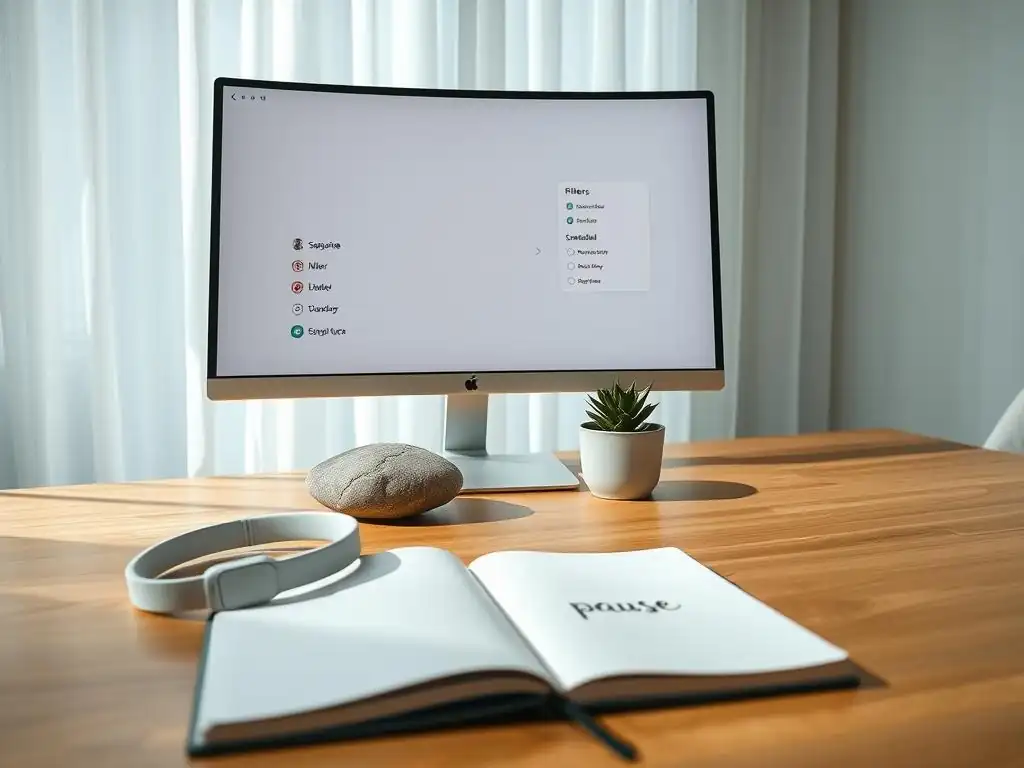
Leveraging technology itself can sometimes be part of the solution for managing notification anxiety effectively. Various tools and apps are designed to help you gain control over notifications, manage screen time, and improve focus.
Notification Management Apps: Platform-Specific Solutions
Both major mobile operating systems, iOS and Android, have significantly enhanced their built-in notification management features, offering detailed controls at the app level.
- iOS Focus Modes: Allow users to create custom modes (e.g., Work, Personal, Sleep) that filter notifications based on app, contact, and time of day. You can choose which apps and people are allowed to send notifications during a specific mode, and even customize the home screen appearance.
- Android Digital Wellbeing & Focus Mode: Provides a dashboard to monitor app usage, set app timers, and includes a Focus Mode that pauses selected distracting apps and silences their notifications when activated.
Third-party apps can offer even more granular control or unique features, though exploring the robust built-in options first is often sufficient for many users seeking to take charge of their alerts.
Focus and Productivity Apps: Enhancing Concentration and Minimizing Distractions
Apps designed to enhance focus and productivity often include features that help minimize notification-related distractions.
- Forest or Flora: These apps use a gamified approach where you plant a virtual tree when you want to focus. If you leave the app (often triggered by checking a notification), the tree dies. This creates a positive reinforcement loop for staying focused.
- Freedom or Cold Turkey: These are website and app blockers that can temporarily block access to distracting websites or apps across multiple devices for a set period, preventing you from being drawn in by their notifications.
- Pomodoro Timers: While not directly managing notifications, using a Pomodoro technique app (working in focused bursts, typically 25 minutes, followed by a short break) encourages dedicated work periods where notifications should ideally be silenced or ignored, naturally reducing their disruptive impact.
These tools help create an environment conducive to concentration by actively preventing easy access to notification sources.
Digital Wellbeing Features: Monitoring and Controlling Tech Usage
Most modern smartphones include built-in digital wellbeing dashboards. These features provide valuable data and controls for understanding and managing your relationship with your device.
- Screen Time (iOS) / Digital Wellbeing (Android): These dashboards show you how much time you spend on your phone overall and on specific apps, how often you unlock your phone, and how many notifications you receive daily.
- App Timers: Set daily limits for how long you can use individual apps. Once the limit is reached, the app icon might be greyed out, and attempting to open it requires an extra step, serving as a conscious barrier.
- Downtime / Wind Down: Schedule periods where only essential apps are available, and notifications are silenced, encouraging breaks from your device.
Regularly reviewing these reports can provide eye-opening insights into habits you might not even realize you have, empowering you to make informed decisions about where to focus your efforts in managing notification anxiety effectively.
The Benefits of Reduced Notification Anxiety
Successfully managing notification anxiety effectively yields numerous benefits that extend far beyond simply feeling less stressed about your phone.
Improved Focus and Cognitive Performance
When you're not constantly bracing for or reacting to notifications, your attention span increases, and your ability to concentrate deeply on tasks improves. This leads to better cognitive performance, whether you're working, studying, or engaging in a hobby. The mental energy previously spent on context switching and managing digital interruptions is freed up, allowing for more sustained and productive thought.
Enhanced Sleep Patterns and Restfulness
Reducing exposure to notifications, especially in the hours leading up to bedtime, significantly improves sleep quality. The blue light emitted by screens and the mental stimulation from checking alerts can interfere with the body's production of melatonin, the sleep hormone. By creating digital boundaries and silencing notifications overnight, you allow your mind and body to properly wind down, leading to more restful and restorative sleep.
Increased Feelings of Calmness and Overall Well-being
A direct and palpable benefit of managing notification anxiety effectively is a greater sense of calm. The constant feeling of being on call or missing out diminishes when you regain control over your digital interactions. This reduced state of hyper-vigilance contributes to lower overall stress levels, improved mood, and a greater sense of peace and presence in daily life.
Greater Control Over Time, Attention, and Energy
Ultimately, managing notification anxiety effectively is about reclaiming agency over your most valuable resources: your time, attention, and mental energy. By deciding which notifications warrant your immediate focus and when, you direct these resources towards what truly matters to you, rather than allowing them to be fragmented and dictated by external pings. This sense of control is incredibly empowering and fundamental to living a more intentional and less reactive life.
Conclusion: Cultivating a Healthy and Balanced Digital Life
The constant buzz of notifications is an inherent part of modern life, but it doesn't have to be a source of chronic anxiety. By understanding the impact of digital alerts, identifying personal triggers, implementing strategic management techniques, and adopting a more mindful approach to technology, you can significantly reduce notification anxiety and cultivate a healthier, more balanced digital lifestyle.
Taking control of your notifications is not about rejecting technology, but about using it intentionally, ensuring it serves your well-being rather than detracting from it. Managing notification anxiety effectively is a continuous practice, but the rewards – enhanced focus, reduced stress, better sleep, and a greater sense of control – are invaluable for a calmer, more present mind.
Frequently Asked Questions
How does the constant stream of notifications contribute to anxiety?
Notifications trigger a fear of missing out (FOMO) and can create a sense of urgent demand, leading to chronic stress and anxiety. This constant interruption disrupts focus and overloads the brain.
What are some practical strategies for reducing notification anxiety?
Implement strict notification schedules or turn off non-essential notifications entirely. Practice mindfulness techniques to acknowledge the urge to check your phone without acting on it immediately. Consider using app filtering tools.
How can I identify if I'm actually experiencing notification anxiety?
Look for signs like increased irritability, difficulty concentrating, a compulsive need to check your phone, and feelings of overwhelm when your phone buzzes or rings. These are key indicators of the issue.
What role does digital detox play in managing notification anxiety?
Regular digital detox periods can help reset your brain's reward system and reduce dependence on notifications. It allows you to reconnect with the present moment and develop healthier digital habits.
Are there any long-term benefits to managing notification anxiety effectively?
Successfully managing notification anxiety can lead to improved focus, better sleep quality, and a greater sense of calm and control. This ultimately contributes to enhanced mental well-being and reduced overall stress levels.
Final Reflection: Finding Stillness in the Digital Storm
The relentless barrage of notifications—a defining feature of modern life—is not merely an inconvenience; it's a significant contributor to widespread anxiety and diminished well-being. We've explored the insidious ways notifications hijack our attention, fragment our focus, and ultimately, erode our sense of peace. This isn't just about managing our phones; it's about reclaiming our mental space and fostering a healthier relationship with technology.
The impact of constant connectivity on our mental health is undeniable, shaping our social interactions, work habits, and even our sleep patterns. The subtle, yet pervasive, pressure to constantly respond, to always be "on," is a modern affliction. The greatest enemy of knowledge is not ignorance, it is the illusion of knowledge.
This quote, while not directly about notifications, speaks to the deceptive ease with which we can become overwhelmed by the sheer volume of information—and the resulting anxiety—that technology delivers. We must actively challenge this illusion, choosing mindful engagement over reactive consumption.
Now, consider your own relationship with notifications. What small changes can you implement today to regain control? Perhaps it's silencing non-essential alerts, scheduling specific times for checking emails, or simply taking regular breaks from your devices to reconnect with the present moment. The journey to a calmer mind begins with a single, conscious choice—a choice to prioritize your well-being over the constant buzz. Embrace the stillness, and discover the profound peace that awaits.
Unplug & Reclaim Your Peace: Simple Steps to Digital Wellness
Thanks for taking the time to explore the world of notification anxiety with us! We hope you've gained valuable insights into managing your digital distractions and finding a calmer you. Now it's time to put those insights into action.
- Prioritize Your Notifications: Identify the truly essential apps and people that deserve immediate attention. Then, ruthlessly silence or delete the rest. This is your primary action towards a more peaceful existence.
- Experiment with "Do Not Disturb" Mode: Schedule specific times for focused work or relaxation, using this mode to create mindful breaks from the constant digital buzz.
- Share Your Experience: Tell us (and others!) about your journey towards digital wellness. What techniques worked best for you?
Ready to experience the calm you deserve? What's the first notification you're going to silence today?